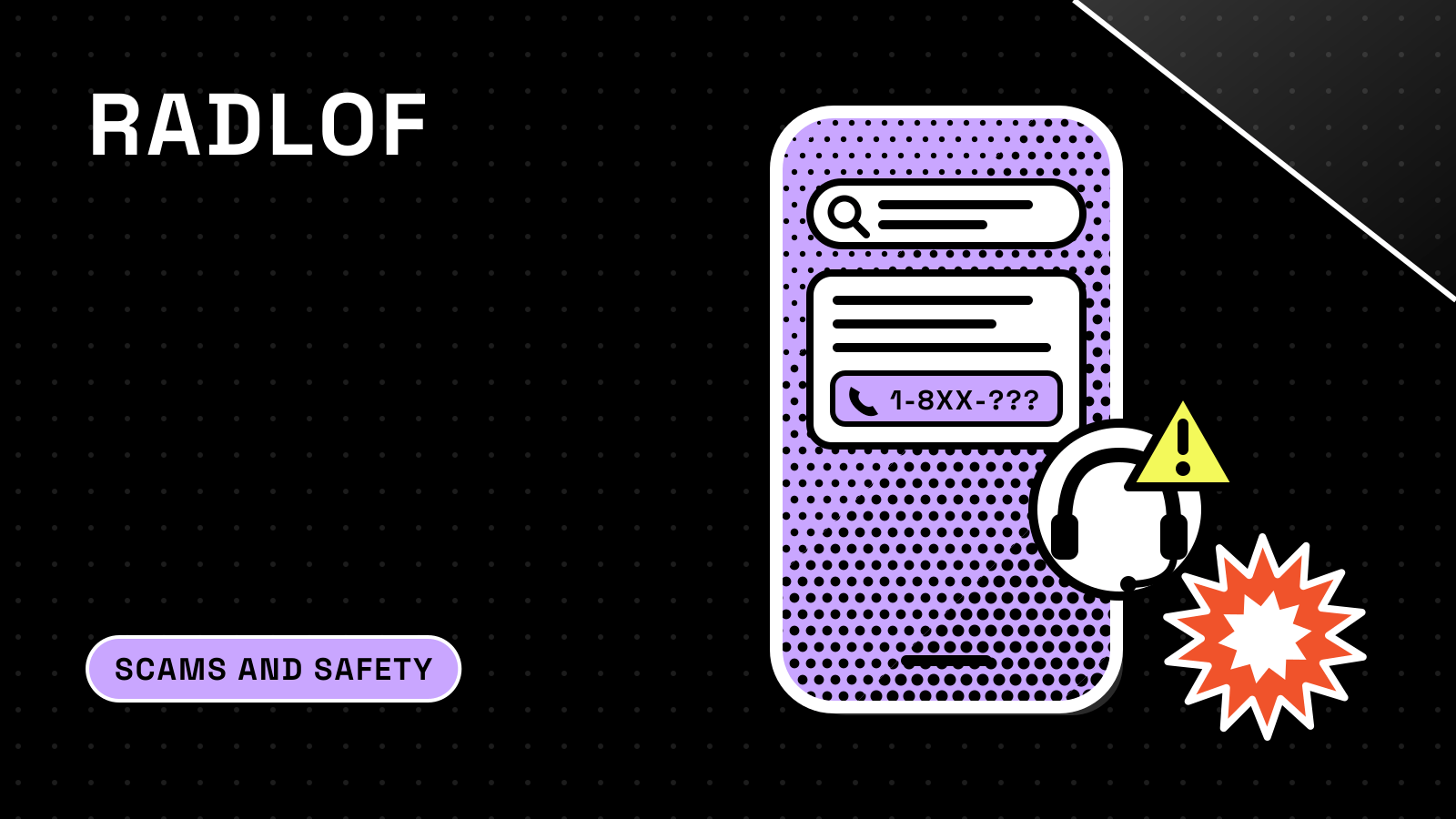
A fake customer service number scam works by putting a scammer’s phone number where you go looking for help: a paid search ad, a web page that copies a brand, or an AI-generated answer that repeats the number as if it were official. You call, someone answers with the company’s name, and the “fix” for your problem turns into a payment, a request for your login codes, or remote access to your computer.
The safest rule is simple. Get the number from the company itself, through its app, its website typed by hand, your statement or the back of your card, and never from an ad, a forum post or a chatbot reply. This guide explains how the numbers get planted, why AI answers and search ads can repeat them, what real support teams say they will never ask for, and what to do if you already called. It is general consumer information, not legal advice.
How the fake customer service number scam works
The Federal Trade Commission described the basic pattern in an August 5, 2020 consumer alert. Based on reports to the agency, “some scammers are creating fake customer service information for popular companies and paying for it to show up in your search results.” When you contact them, “they’ll offer to ‘resolve’ the problem you may have,” if you wire money or send gift cards, and “they might also ask for your personal information, or to get remote access to your computer.”
The FTC returned to the topic in an April 3, 2025 alert on search results. Scammers “might use another company’s name, include the name of a government service, or use misleading tag lines,” and “they might even put their number alongside a trusted company’s name or link to a website that looks official.” The goal, the FTC says, is “to get your money or your personal or financial information to steal your identity.”
The FBI files this under tech support scams, a category it defines broadly. Its tech support scams page says criminals “pose as technical or customer support/service” for cryptocurrency exchanges, banks, online shopping websites, utility companies, cable and internet providers, printers and antivirus software. One of the ways they reach people is “Websites or online ads advertising a tech support number.” Once on the line, they say they can fix the issue “for a fee” and that “you have to act fast,” and they may ask you to “wire cash, send a gift card, or even transfer cryptocurrency as payment.”
A typical call follows a short script:
- You search. You need to cancel a flight, dispute a charge or unlock an account, so you type or ask for “[company] customer service number.”
- The wrong number shows up first. It sits in a sponsored result, on a lookalike page, or inside an AI summary.
- The agent confirms your fear. Your account is “compromised,” the refund “failed,” or the change carries a fee.
- The agent asks for something real support would not. A payment by gift card, wire or crypto; a one-time code; your password; or an app that lets them see and control your screen.
- The money or access is gone. With your codes or remote access, they can sign in as you, and the FBI warns that someone inside your computer “can potentially drain your bank accounts, too.”
Why AI answers and search ads can show a scammer’s number
Paid ads are the older route. The FBI’s Internet Crime Complaint Center (IC3) warned in a March 28, 2018 public service announcement that “criminals pay to have their fraudulent tech support company’s link show higher in search results,” and told people to “be cautious of customer support numbers obtained via open source searching.” It added that “phone numbers listed in a ‘sponsored’ results section are likely boosted as a result of Search Engine Advertising.” In an April 24, 2025 PSA, the FBI described fraudulent ads whose web address “mimics the legitimate business URL with minimal differences, such as a minor misspelling,” and recommended typing the business’s address directly into the browser instead of searching for it.
AI answers add a newer route. These tools collect text from across the web and present a single, confident reply, and they can pick up a number that scammers have repeated in enough places. In an April 1, 2026 consumer alert, New York Attorney General Letitia James warned that “scammers can manipulate results in Google’s AI Overview to show false phone numbers or links alongside legitimate information.” Her office said accurate information is more likely to be found “in non-AI-created web entries on trusted websites, which should appear below the Google AI Overview.”
The companies that build these tools say plainly that the answers can be wrong:
- Google AI Overviews. Google’s AI Overviews help page says “AI Overviews can and will make mistakes” and advises: “Always check important info in more than one place.” AI Overviews cannot be switched off, but the page says you can select the Web filter after a search to see “only text-based links without features like AI Overviews.”
- ChatGPT search. OpenAI’s help page on searching the web with ChatGPT says “search results and citations can be incomplete, outdated, or incorrect,” and tells users to “open a cited source to check that it supports the answer” and to “use an authoritative source when accuracy matters.” A separate OpenAI article, Does ChatGPT tell the truth?, notes the model “may express high confidence even in incorrect answers.”
Voice assistants have had the same weakness. In an October 31, 2023 release, Michigan Attorney General Dana Nessel warned that scammers create “fake customer service numbers that will appear in search results when you use voice search,” and that “the assist app algorithm will choose the fake number because it appears at the top of the search results.”
Fake chatbots are a related trick. The Ohio Attorney General’s office wrote in June 2025 that scammers “create fake chatbots to ask customers for payment information and personal identifiable information,” and that “legitimate company chatbots will never ask for account passwords or Social Security numbers over chat.” Its advice: if a chatbot pops up while you are not on the company’s own website, do not click it.
What the search and ad platforms say they do
Google says it is working on this specific scam. In an October 2, 2024 post, it wrote that “when it comes to something like a customer service number, there’s really only one ‘official’ source of that information,” and that “not all businesses have customer service numbers, so if you can’t find one on their website, be mindful before you go digging to find one from another site or service.” In a May 8, 2025 post, Google said it had seen “a significant increase in bad actors on the web impersonating airline customer service providers” and had “already reduced these scams by more than 80% in Search.”
On the ad side, Google’s third-party consumer technical support policy says technical support for consumer tech products and online services “offered by third-party providers is not allowed,” including “account recovery, password resets or login support.” Google’s advertiser verification page lists “offering unauthorized customer support services on behalf of third parties” among the reasons an account can be paused. These rules limit what can run. They do not mean every ad you see has been checked, so a sponsored result is still not a safe place to get a support number.
How big the problem is
Nobody publishes a count of fake support numbers found through AI answers specifically. The broader category is large and growing.
| Measure | Figure | Source |
|---|---|---|
| Tech/customer support complaints to IC3, 2025 | 47,794 | FBI 2025 IC3 report |
| Reported tech/customer support losses, 2025 | $2,134,675,818 (up from $1,464,755,976 in 2024) | FBI 2025 IC3 report |
| Call center fraud (tech/customer support plus government impersonation), 2025 | More than 80,000 complaints, losses above $2.9 billion | FBI 2025 IC3 report |
| Tech support fraud complaints to IC3, 2017 | About 11,000, with losses of nearly $15 million | IC3 PSA, March 2018 |
| Reported losses to imposter scams, 2025 | $3.5 billion | FTC, June 15, 2026 |
| Reported losses to business impersonators, 2025 | Nearly $1 billion (up from $866 million in 2024) | FTC, June 15, 2026 |
Tech and customer support fraud ranked third by losses among the cyber-enabled fraud types in the FBI’s 2025 report, behind investment fraud and business email compromise. The FTC said imposter scams were the most reported fraud category in 2025, “nearly one in three fraud reports,” and that they reached people “through text, phone, email, social media, search engine results and other means.”
Companies see the same pattern from the inside. Amazon says that in 2025 it “initiated takedowns of more than 70,000 phishing websites and 14,000 phone numbers being used for impersonation scams.”
What real customer support says it will never ask for
The quickest way to unmask a fake agent is to know what the real company has promised in writing. Here is what several frequently impersonated companies say on their own pages, and where they tell you to go instead.
| Company | What it says real support will not do | Where it says to reach support |
|---|---|---|
| Coinbase | Ask for your password or 2-step verification code, ask you to install software, remotely access your device, ask you to move funds, or “call you directly to handle account support” (security page, scams page) | “Only contact Coinbase through the phone number or email listed on our Contact us page” |
| PayPal | Requests from “customer service” for your password or 2-factor code, a “test” transaction, or a software download are “never legitimate” (scams page) | The Contact page in the PayPal Help Center, or the PayPal Assistant, which can connect you “to a live agent by chat or phone” (contact page) |
| Amazon | “We will never ask for your password, OTP, gift card details, bank card details or any other confidential information over the phone” (fake calls page); no software installs or remote access to reach customer service (Amazon tips) | The Amazon app or website. Amazon says not to call numbers “found in online search results” |
| Microsoft | “Microsoft error and warning messages never include phone numbers”; it will never ask you to pay for support “in the form of cryptocurrency like Bitcoin, or gift cards” (support page) | Microsoft’s own support site; report scams at microsoft.com/reportascam |
| Airlines | The FTC warns that impostors ask for “booking confirmation number, phone number, or bank account” (FTC alert) | Log in to your airline account and use “the airline’s official app, website, chat, or phone number,” or an agent at the airport |
Coinbase’s own page puts the core problem bluntly: “Fake customer support numbers and websites are a constant threat, so be cautious with any information you find on forums, social media, and ads.” The FTC’s general version: “No legitimate company will ask you to send gift cards or wire money, or give your password in exchange for customer service help. Hang up on anyone who does.”
How to find the real customer service number
Use this order. Each step relies on a channel the company controls, and none of them depends on a search result or an AI summary being right.
- Open the company’s app. Most banks, payment apps, exchanges, airlines and big retailers have a help or contact section inside the app you already use. Amazon, PayPal and Coinbase all point customers there or to their own help centers.
- Look at the card, statement or bill. For a bank or card problem, the FTC says to use “the number on the back of your card” or to log in to your account. If you are paying a bill, the FTC says to “call the number from your bill directly.”
- Type the website address yourself. The FTC and FBI both recommend typing the address into the browser instead of clicking a search result. Better still, save a bookmark for sites you use for money, as Coinbase suggests, and use it every time.
- Check the packaging or paperwork. For devices and appliances, the FTC points to “the packaging, manual, or other print material for your product” as a good source of real contact details.
- If you must search, skip the ads and the summary. The FTC advises that you “scroll to the unpaid search results” and confirm you are on the company’s real site. On Google, the Web filter hides AI Overviews. Then find the number on that official site, not in the results page.
- Treat any number from an AI tool as a lead to check. If a chatbot or AI summary gives you a number, open the cited source. If the source is not the company’s own website or app, do not call. Google says to check important information “in more than one place,” and OpenAI says to “use an authoritative source when accuracy matters.”
- Accept that some companies have no phone line. Google’s own advice is that “not all businesses have customer service numbers.” If the official site offers only chat or a ticket form, a phone number you find somewhere else is a warning sign.
Red flags during the call
Even if you dialed the number yourself, stop and hang up if the person on the line does any of the following. Each one appears in the warnings above from the FTC, FBI or the companies.
- Asks for a one-time code, password or 2-step verification code. Coinbase, PayPal and Amazon all say real staff will not ask.
- Asks you to install an app or let them “connect” to your computer or phone. Remote access is a top request in these scams, and Coinbase, Amazon and the FBI all warn against it.
- Wants payment by gift card, wire, crypto or a payment app to fix an account problem, release a refund or “verify” you.
- Asks you to move money to “secure” it. Coinbase lists “ask you to secure, move, or access your funds” among the things its agents will never do. The FTC says “some of the costliest impersonation scams start with a fake security alert,” after which people are convinced to move money to “protect” it.
- Charges a fee to fix the problem. The FBI says fake agents offer to fix the issue “for a fee” and push you to pay fast.
- Pushes you to stay on the line and act now. The FBI says scammers “deliberately create a sense of urgency and panic” to get people to act immediately.
If a call feels off, hang up and reach the company again through its app or a number printed on your card or statement.
What to do if you called a fake customer service number
Speed matters most when money has moved. The FBI’s 2025 Internet Crime Report says that for a fraudulent transfer, “time is of the essence,” and that you should immediately contact your financial institution and “request a recall of the funds.” The same report says the IC3’s Recovery Asset Team saw a rise in tech support cases in 2025 and froze $679,013,183 across 3,900 incidents in which it stepped in. Freezes are not guaranteed, but they depend on fast reporting.
Match your next steps to what you gave the caller. The steps below follow the FTC’s What To Do if You Were Scammed page unless another source is linked.
| What you gave | What to do first |
|---|---|
| Credit or debit card payment | Report it to the card issuer immediately, using the number on the back of the card or the issuer’s app, and ask for a refund |
| Bank transfer or Zelle | Report it to your bank or credit union immediately and ask them to reverse the payment |
| Payment app such as Venmo, Cash App or PayPal | Report it to the app immediately and ask for a reversal and refund |
| Gift card | Contact the gift card issuer using the number on the back of the card, say a scammer got the number and PIN, and keep the card and receipt |
| Cryptocurrency | Contact the exchange or ATM operator immediately and report the transaction as fraudulent; the FTC notes crypto lacks the legal protections of card payments |
| Password or one-time code | If you can still log in, change the password (and anywhere you reused it) and turn on two-factor authentication; if you are locked out, use the company’s official account recovery |
| Remote access to your device | Update your security software, run a scan and delete what it finds, then change passwords and turn on two-factor authentication; Microsoft suggests uninstalling anything the scammer had you install and considering a device reset |
| Social Security number or other ID details | Go to IdentityTheft.gov for a recovery plan |
Then report it. File with the FBI at ic3.gov and the FTC at ReportFraud.ftc.gov. The 2018 IC3 notice asks people to include the websites, phone numbers and email addresses used, “or any numbers you may have called,” plus the accounts that received money. Tell the real company too: Coinbase asks people to email security@coinbase.com, PayPal takes reports at phishing@paypal.com, and Amazon accepts reports at reportascam@amazon.com. If the number came from an AI answer, use the tool’s feedback button so it can be flagged; Google’s help page asks users to “send feedback to Google if something doesn’t look right.”
Finally, expect a second approach. The FBI warns victims to “expect to be contacted again” because “scammers often share victim information.” Anyone who calls later offering to recover your money for a fee is a reason to hang up. If a large amount is involved or you are unsure about your rights with your bank, a consumer attorney or your state attorney general’s office can advise you.
How we checked this
We read consumer alerts and public service announcements from the FTC, the FBI and IC3, and the New York, Michigan and Ohio attorneys general, along with the FBI’s 2025 Internet Crime Report and the FTC’s 2025 imposter scam data. We also read the help and policy pages of Coinbase, PayPal, Amazon, Microsoft, Google and OpenAI for what they say real support does and how to reach it. Facts checked on October 25, 2026.